
 Click main image to view in full screen. Unlock all 12 preview images:
Inventory Management Template – Excel XLSX
Excel (XLSX)


BENEFITS OF THIS DOWNLOADABLE EXCEL DOCUMENT
- Assist users in controlling & tracking inventory
- Suitable for any type of business.
INVENTORY MANAGEMENT EXCEL DESCRIPTION
General Overview
Inventory management is the process of tracking and controlling a company's stock of goods—whether raw materials, work-in-progress, or finished products—to ensure the right items are available at the right time. It involves monitoring inventory levels, ordering and restocking efficiently, and minimizing holding costs while avoiding stockouts. Effective inventory management improves cash flow, reduces waste, and supports smooth operations across production, sales, and fulfillment.
This Inventory Management Template offers comprehensive tracking capabilities, enabling precise oversight of stock levels and supplier details. With built-in analysis tools, executives can quickly identify trends and make informed decisions to optimize inventory flow and minimize costs. The structure is user-friendly and practical and is suitable for any type of business. The template includes input reports for inventory purchased and inventory sold, calculates stock value and alert users when items are low or nearing expiration. A set of analysis reports (total and per product level) helps businesses maintain accurate records, avoid stockouts or overstocking, and streamline purchasing and inventory control.
Template Structure
Setup:
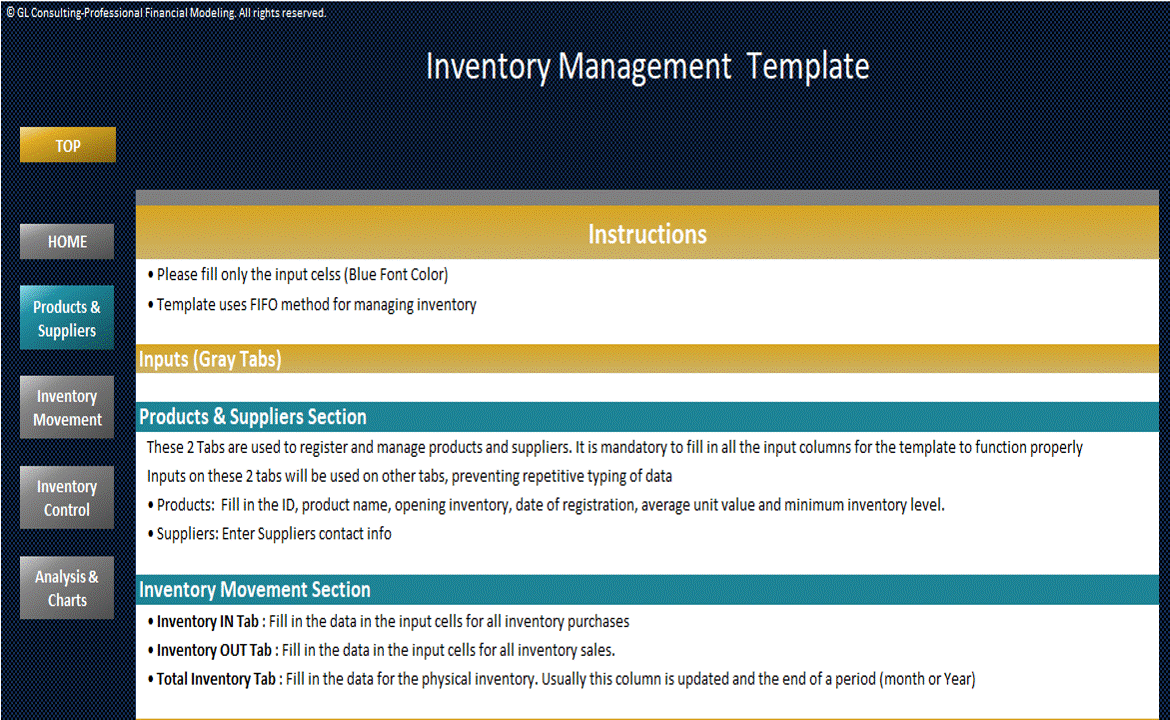
• General Company Info
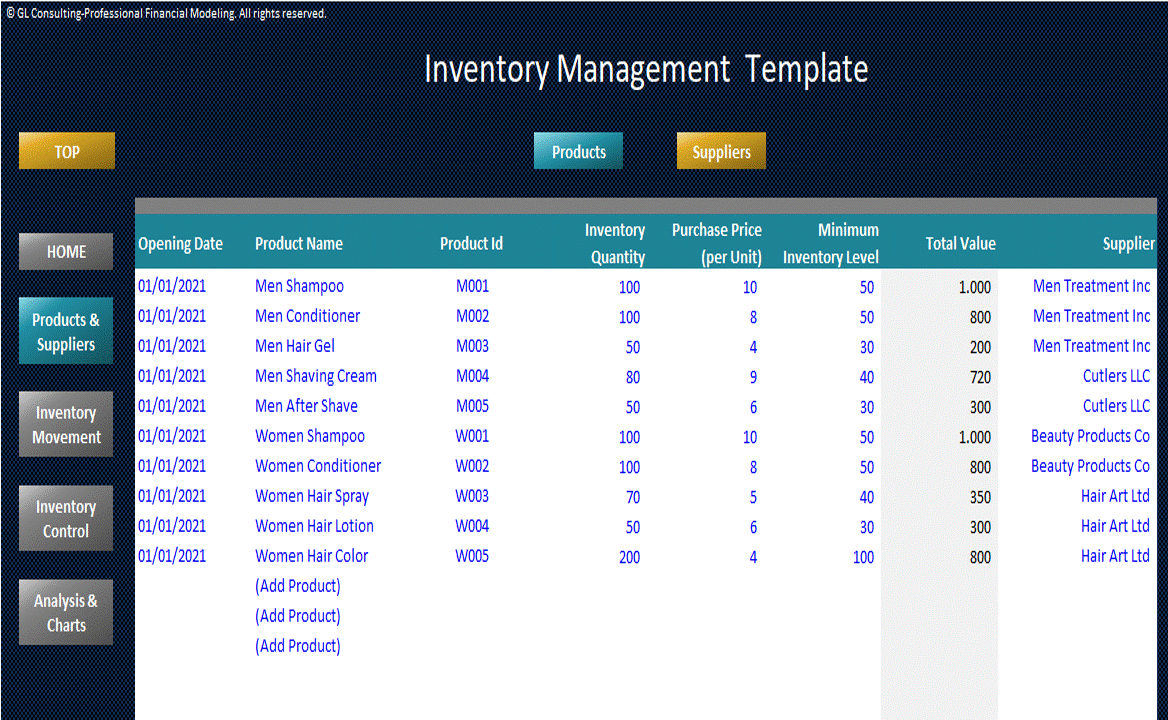
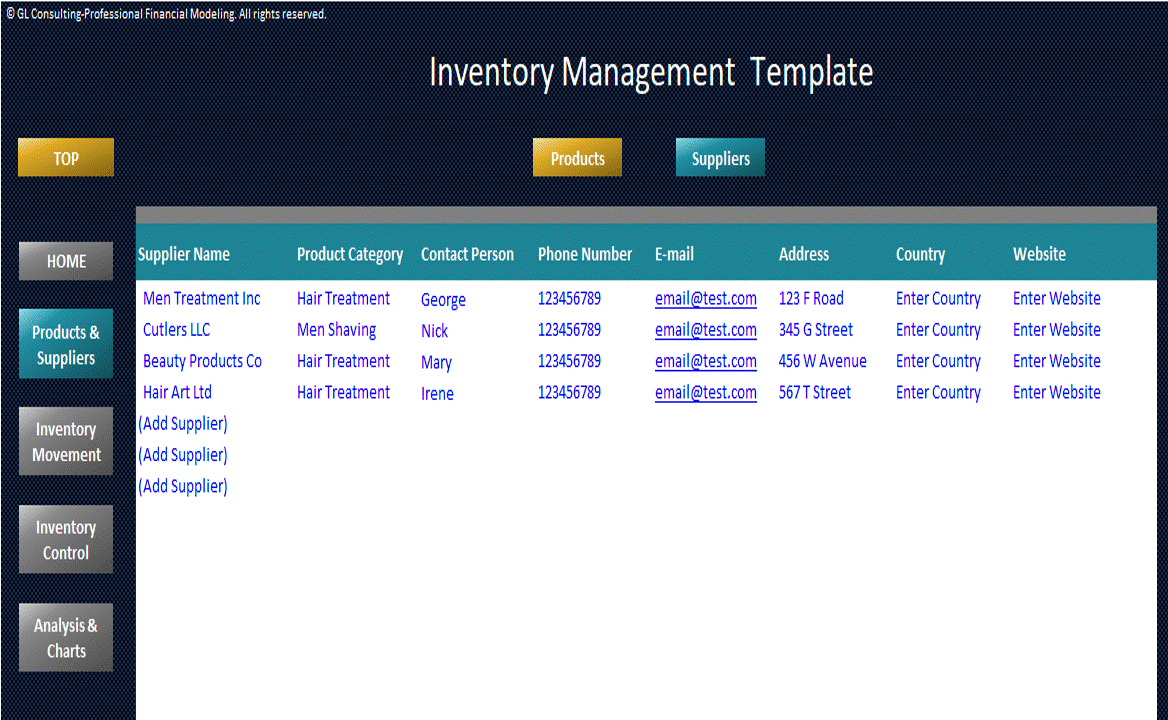
• Products Data and Company's Suppliers Excel Tables
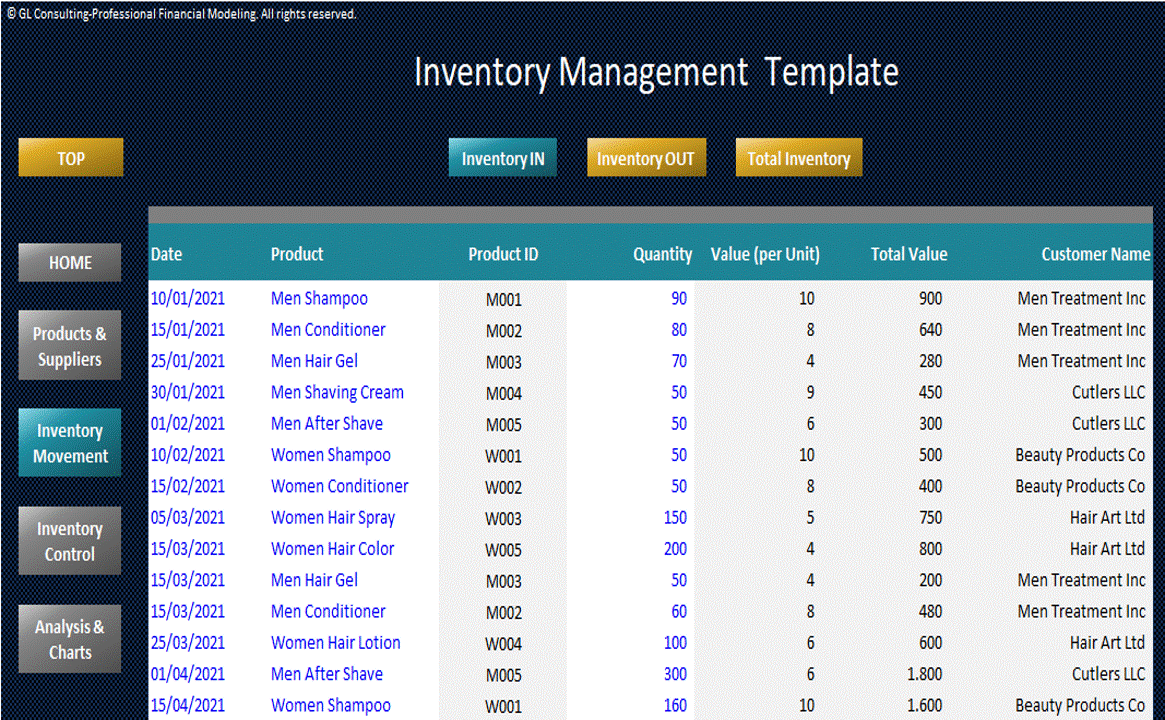
Inventory IN:
• Report recording Company's Inventory Purchases
• Includes inputs for Purchase Date, PO Number, Suppliers, Purchased Quantity and calculates purchased value
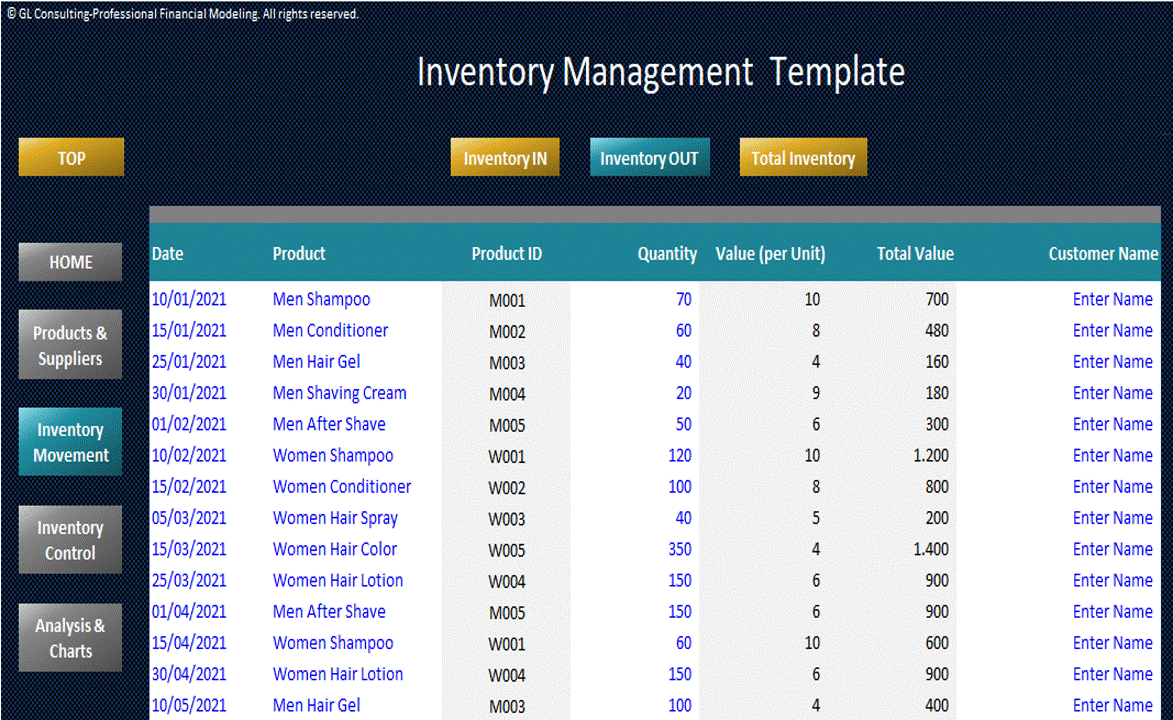
Inventory OUT:
• Report recording Company's Inventory Sales
• Includes inputs for Sale Date, SO Number, Customers, Quantity and calculates sold value
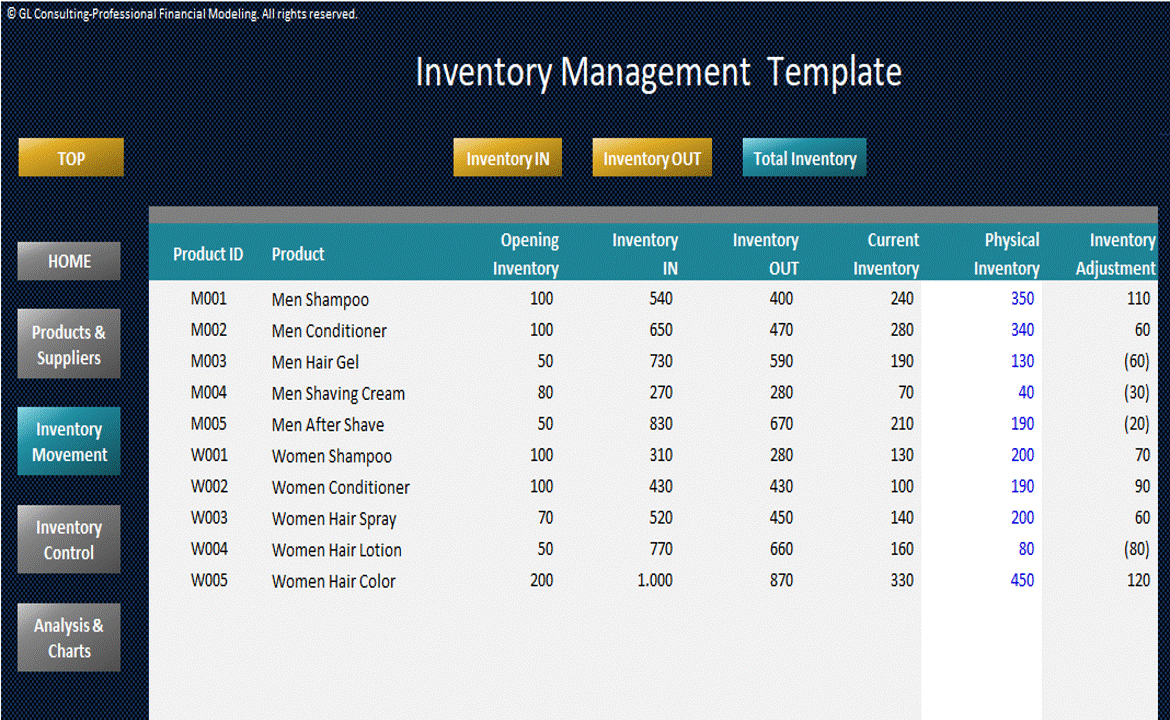
Total Inventory Report:
• Report providing a summary of company's inventory per product
• Includes inputs for Opening Quantity, and Year-End Physical Inventory (used to track differences between the report (system) and the actual inventory in stock)
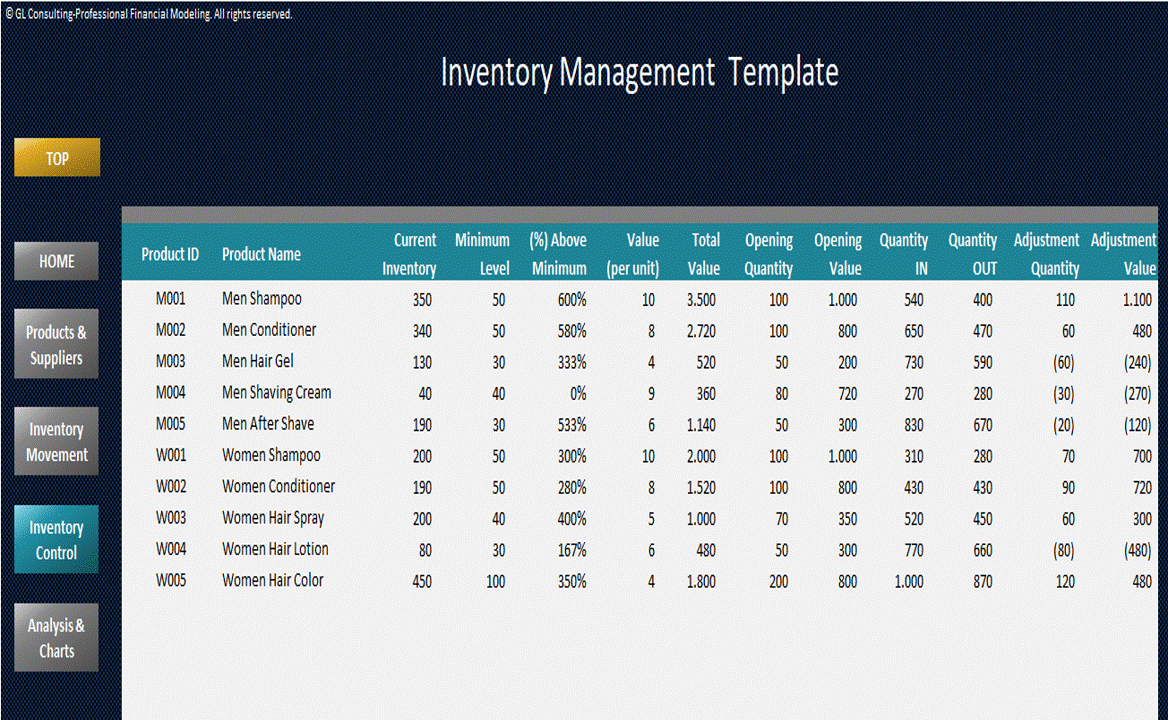
Inventory Control Report:
• A real-time report with updated inventory information, plus indicators such as reorder point check, total inventory value, number of incoming and outgoing inventory and adjustments for each product registered
Quantity & Value Analysis Report:
• Report displaying the summary and evolution of the quantity and value of products in inventory from month to month and displays amounts for Opening Inventory, In & Out Movements, and Closing Inventory at the end of periods.
• Includes also a dynamic chart to view the quantity and value results and calculates the inventory days (end of year)
ABC Analysis Report:
• Analysis presenting the products with the largest movements in 4 categories (Year-End Physical Inventory Quantity and Value, Purchases, Sales)
• The ABC Analysis criteria use in the template are defined as follows: Accumulated share up to 80% = "A", 81%-95% = "B", >95% = "C"
Product Analysis Report:
• Analysis per product report including Product Metrics, Inventory Schedule, Reorder Check per month and dynamic chart
Dashboard:
• Visual representation of inventory annual data
Help & Support
If you experience any difficulty while using this template and you are not able to find the appropriate guidance in these instructions, please feel free to contact us for assistance. This template has been designed with flexibility so it can be used in most business environments. If you need a template customized for your business requirements, please e-mail us and provide a brief explanation of your specific needs.
Got a question about the product? Email us at support@flevy.com or ask the author directly by using the "Ask the Author a Question" form. If you cannot view the preview above this document description, go here to view the large preview instead.
TOPIC FAQ
What core reports should I use to track inventory levels, movements, and alerts?
Core reports for operational tracking include purchase and sales logs, a consolidated inventory summary, real‑time control indicators, and analytical views. The Inventory Management Template structures this across Inventory IN, Inventory OUT, Total Inventory, Inventory Control, Quantity & Value Analysis, ABC Analysis, Product Analysis, and a Dashboard, ending with the Inventory Control Report.How does ABC analysis classify products for inventory prioritization?
ABC analysis ranks SKUs by accumulated movement or value to prioritize management effort. The template defines categories as accumulated share up to 80% = A, 81%–95% = B, and greater than 95% = C, and presents products with largest movements across quantity and value metrics using those thresholds of 80% and 95%.What is a reorder point check and how can a spreadsheet template automate it?
A reorder point check compares current stock to a preset threshold and flags SKUs needing replenishment. The Inventory Management Template includes a real‑time Inventory Control Report that shows reorder‑point checks, incoming/outgoing inventory, and adjustments per product to automate replenishment signals in the control view.How can I reconcile system records with a physical inventory count?
Reconciliation requires comparing the system’s opening quantities and recorded movements against a physical count. Use a Total Inventory Report that includes Opening Quantity inputs and a Year‑End Physical Inventory field to calculate variances and adjust records using the Year‑End Physical Inventory entry.What month‑to‑month metrics should I track to measure inventory value and flow?
Track Opening Inventory, month‑in (purchases), month‑out (sales), and Closing Inventory, plus the monetary stock value and inventory days. A Quantity & Value Analysis report with dynamic charts helps visualize these trends and calculates inventory days at year end for performance measurement and cash planning.What features matter most for small businesses choosing an inventory spreadsheet template on a tight budget?
Prioritize templates that record purchases and sales, maintain supplier and customer tables, flag low or expiring items, summarize total inventory per SKU, and include charts for quick analysis. Also look for available support and the option to request customization; this template offers help & support and customization via email.How do I decide between building an inventory workbook in‑house or buying a template?
Compare the time to build versus ready‑made functionality: bought templates often include built‑in purchase/sale inputs, stock value calculations, alerts, analysis reports, and dashboards. Flevy's Inventory Management Template also offers author support and is created by a certified FMVA with over 20 years' experience, which can reduce setup time and risk.Can spreadsheet templates calculate inventory days and stock value automatically?
Yes—templates that capture opening balances, movements, and closing balances can compute stock value and inventory days. The Inventory Management Template explicitly calculates stock value, displays monthly quantity/value evolution, and computes inventory days as an end‑of‑year metric.Source: Best Practices in Inventory Management Excel: Inventory Management Template Excel (XLSX) Spreadsheet, Profit Vision
ABOUT THE AUTHOR

Profit Vision provides Consulting & Outsourced Financial Services as well as Financial Planning & Performance analysis to small and mid-size businesses by implementing efficient and effective tools to assist them with start-up business plans or improve their ongoing operations.
Our range of services include Financial & Operational Analysis, Business Planning, Budgeting & Forecasting, Cash Flow
... [read more]
Ask the Author a Question
You must be logged in to contact the author.




























